

Established 1985, Online since 2000, Family Business for 41 years.


Information Pages
Javascripts
JavaScripts are harmless little bits of code that are in our website to help with the ease of use. We use JavaScripts on the following things on the original website only - this new website no longer uses them for the following items.
- Adding Pattern Leaflets to the Shopping Basket
- Drop Down Lists for picking yarns on the manufacturers main pages
- Drop Down Lists for picking patterns on the manufacturers main pages
- Drop Down Lists for picking patterns on the pattern leaflets page
- FAQ box on the main page - this shows a different Tip every day of the month
- Opening some links in a new window - such as on the Pattern Leaflets page when you click Needles - this is so you can choose your needles without losing the Pattern you were looking at
- Slide Shows on the Pattern Books - this opens in a new window and gives pictures and sometimes details of all the designs in the books
- Some items on the Information Pages
Some customers, particularly those who use the AOL browser, do have problems with these items as their security setting on their browser may not allow JavaScripts to work.
All browsers are different and we cannot test the AOL browser. Below we have added how to switch JavaScripts on or how to get the browser to ask you before allowing them. This works for Microsoft Internet Explorer 6. If you are reading this and can give us some help with other browsers please let us know.
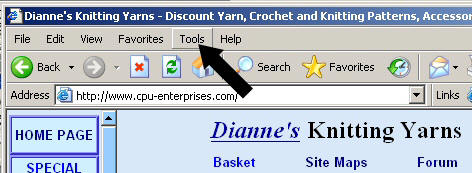
1. Click the Tools link
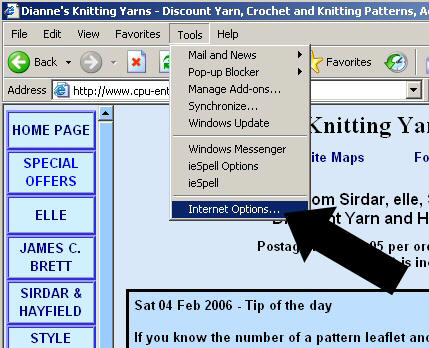
2. Click Internet Options
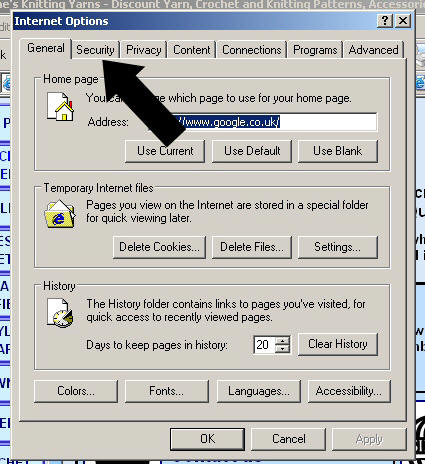
3. Click the Security Tab
4. Click Custom Level
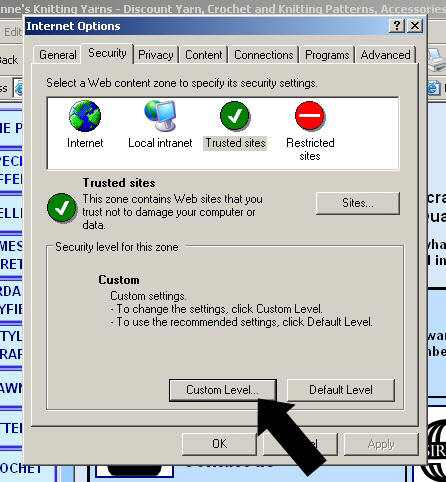
5. Scroll down the page (it might be near the bottom) until you see Scripting - Active Scripting.
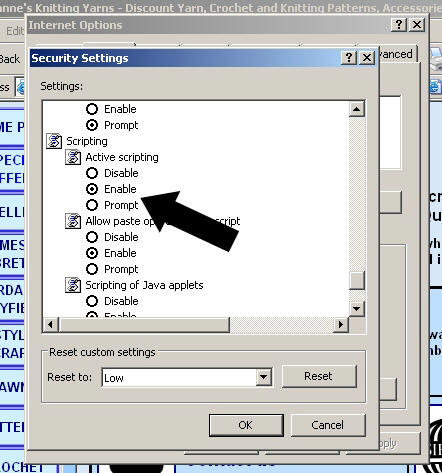
Either click Enable or Prompt.
Enable means JavaScripts will always work.
Prompt means you will be asked before a JavaScript work
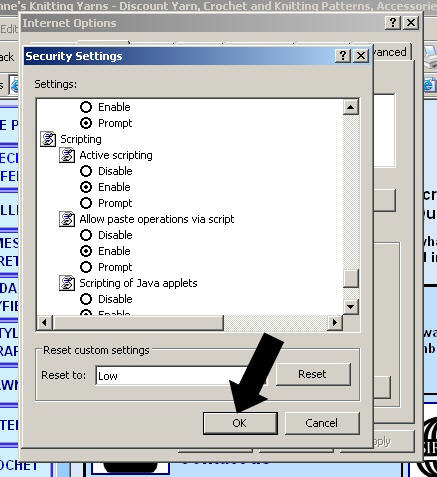
6. Click OK
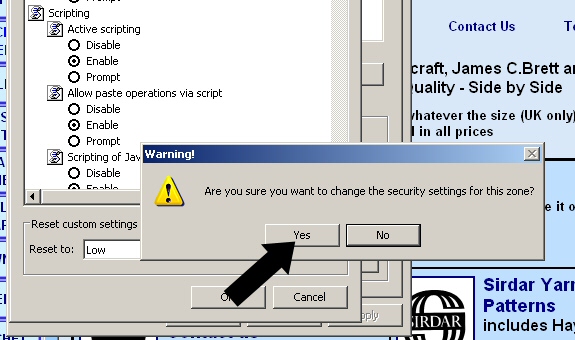
7. You will be asked if you want to change the security settings - say Yes - you can always change it back again.
8. Click OK
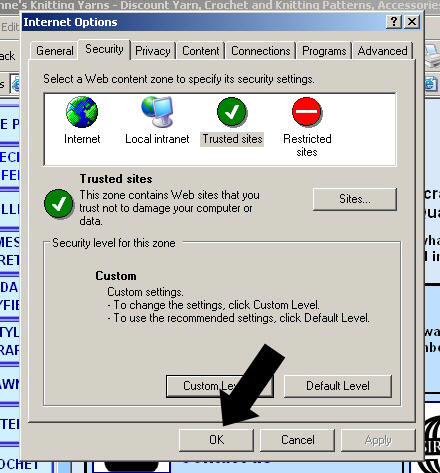
You should now be able to do all the things in our list at the top of the page. If you can't there may be something else wrong - please contact us.
Alternatively you can switch to Microsoft Internet Explorer after you have opened your internet access.
We hope this puts your mind at rest about the JavaScripts we use in our website and allows you to use it to its full effect, but if you have any further questions please email us at
Maximum UK Postage and Packing is £3.80 per order. UK orders over £40 are P+P Free. We are unable to accept orders for delivery outside the UK at the moment..
Maximum UK Postage and Packing is £3.80 per order. UK orders over £40 are P+P Free..