

Established 1985, Online since 2000, Family Business for 41 years.


Information Pages
Shopping basket payment problems - security setting
The shopping basket requires certain settings in your browser to be switched on. These deal with the fact that the shopping basket is hosted on a secure website outside the main site.
The following are the some setting required for Internet Explorer. If you are reading this and can give us some help with other browsers please let us know.
Please follow the descriptions below - note the pictures are from our old website and will be updated shortly.
First - try changing the Internet Security Level to Medium or Medium-Low.
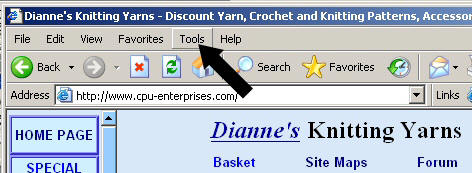
1. Click the Tools link
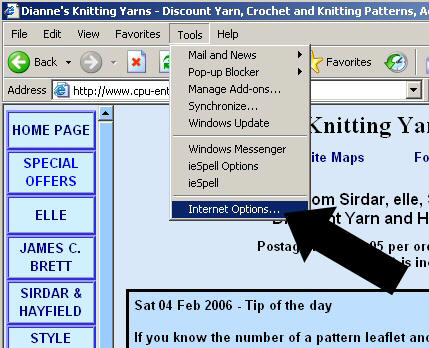
2. Click Internet Options
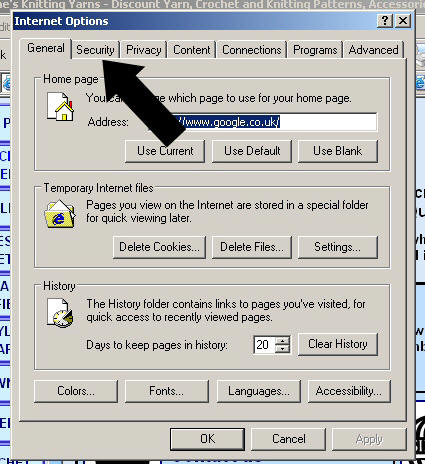
3. Click the Security Tab
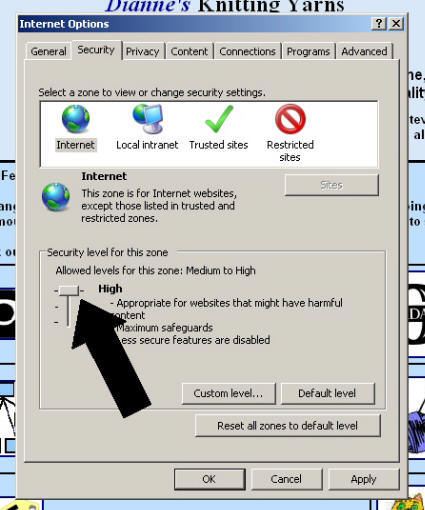
4. Change the High or Medium-High Security Level to Medium or Medium Low
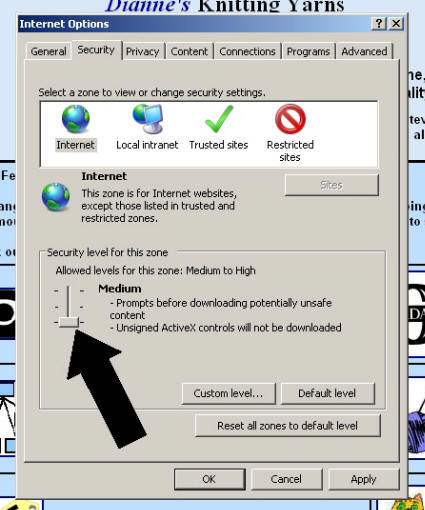
5. Click OK
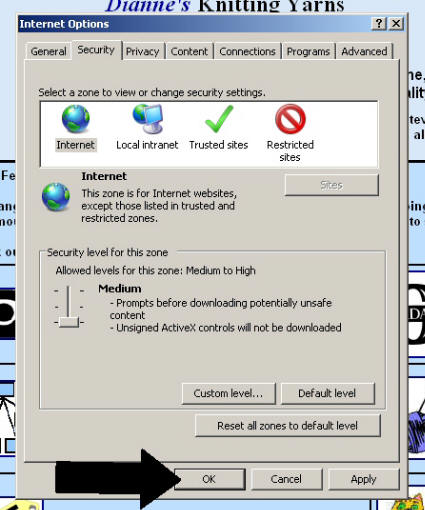
6. If this doesn't work you may have to close your browser and open it again but you will lose what is in your basket. Or you could try the next steps first.
Second - try adding DKY & the Shopping Basket server to your Trusted Sites list - you can then personalise lower settings for us and other Trusted Sites.
1. Click the Tools link
2. Click Internet Options
3. Click the Security Tab
4. Click the Trusted Sites Symbol
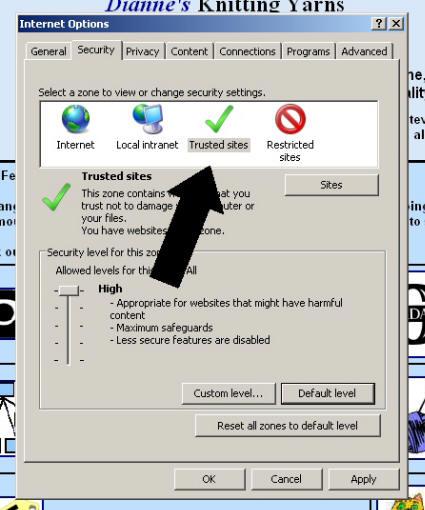
5. Type https://www.knitting-yarn.co.uk under 'add this website to this zone:'. You may also need to add https://www.cpu-enterprises.com and https://www.knitone.co.uk as they are also our domains and some parts of the site may be hosted on them.
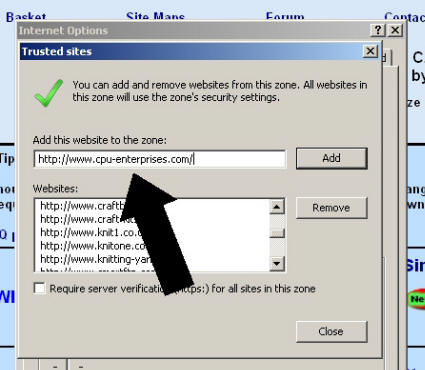
6. Click the Add Button
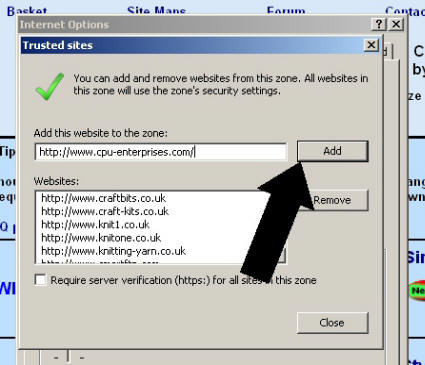
7. You will also need to add the Shopping Basket server URL too - Type https://ww4.aitsafe.com under 'add this website to this zone:'
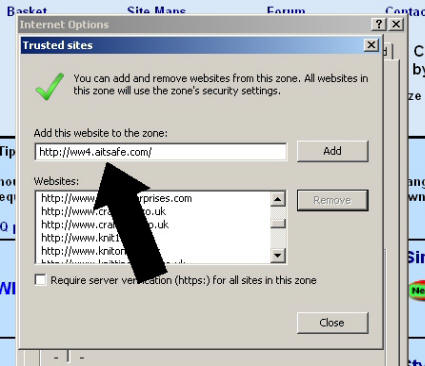
8. Click the Add Button
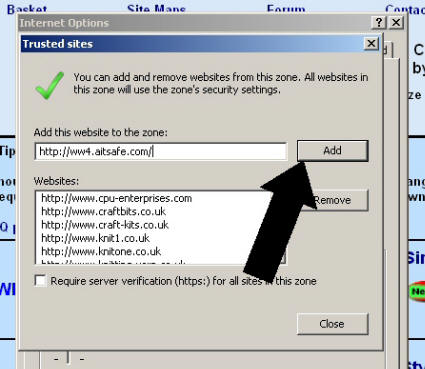
9. Repeat for the Shopping Basket Secure Server - https://ww4.aitsafe.com and click the Add Button
10. Click the Close Button
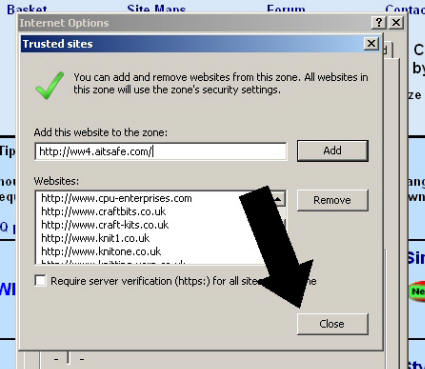
11. Change the High or Medium-High Security Level to Medium or Medium Low or Low for the Trusted Sites
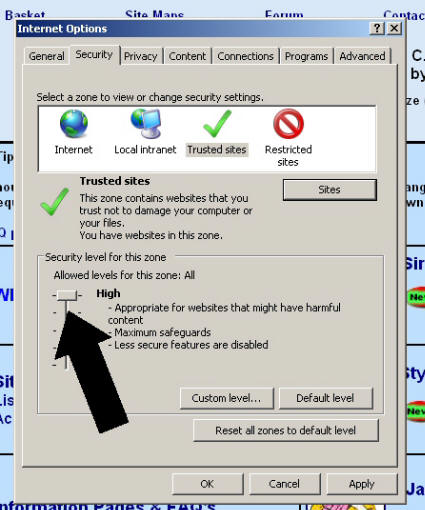
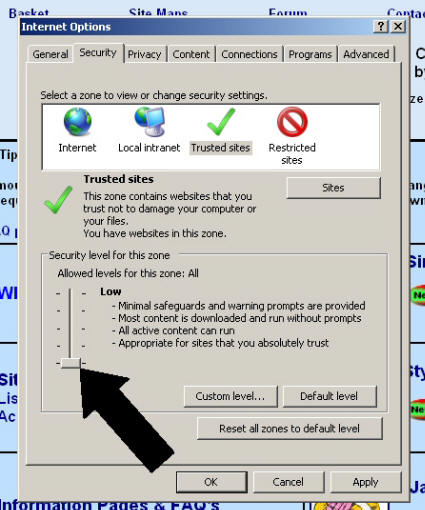
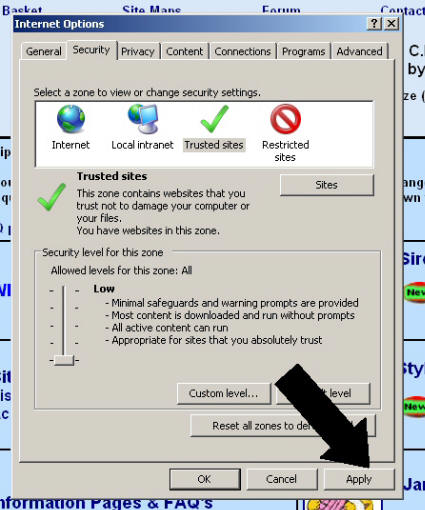
12. Click Apply
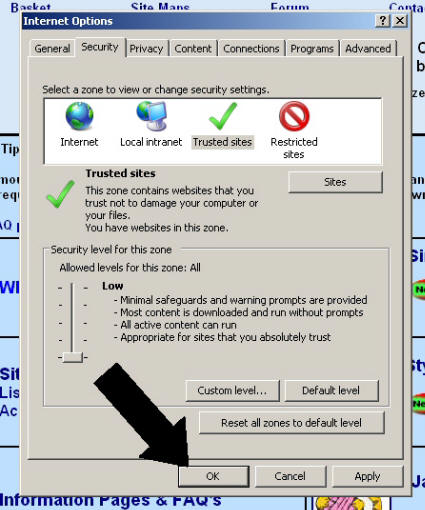
13. Click OK
14. If this doesn't work you may have to close your browser and open it again but you will lose what is in your basket. Or you could try the next steps first.
Third - some of the settings that may be affected are as follows.
1. Click the Tools link
2. Click Internet Options
3. Click the Security Tab
4. Click the Trusted Sites Symbol
5. Click Custom Level
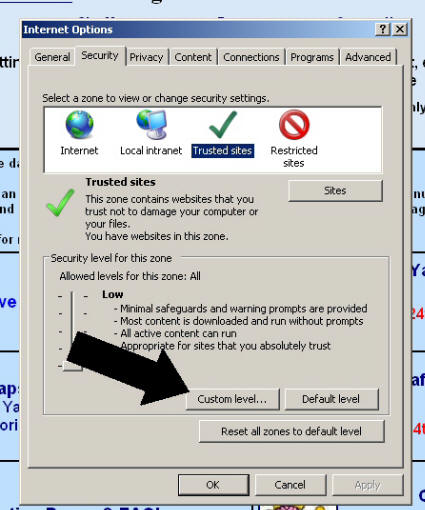
6. Scroll down the page (it might be about half way down) until you see Miscellaneous - Access data sources across domains
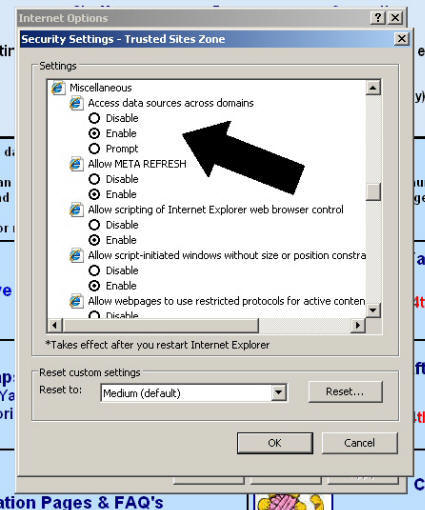
7. Either click Enable or Prompt. Enable means Access is always granted. Prompt means you will be asked before Access is granted
8. Scroll down the page (it might be about half way down) until you see Miscellaneous - Navigate sub-frames across different domains
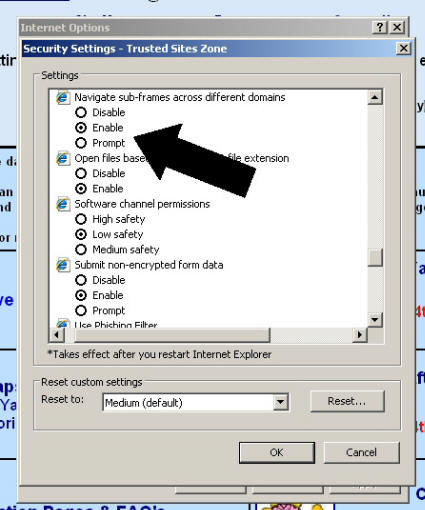
9. Either click Enable or Prompt. Enable means Access is always granted. Prompt means you will be asked before Access is granted
10. Click OK
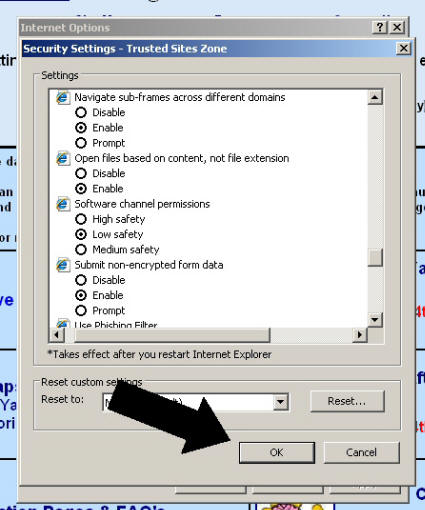
11. Click Apply
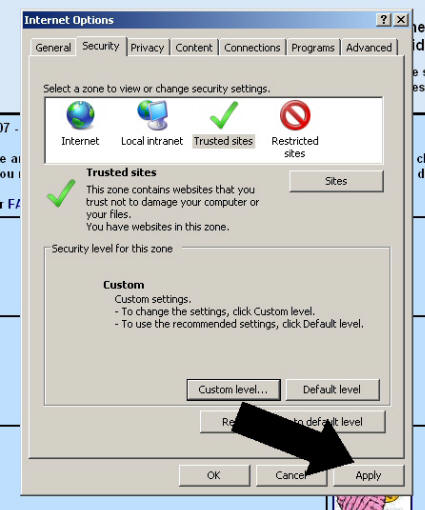
12. Click OK
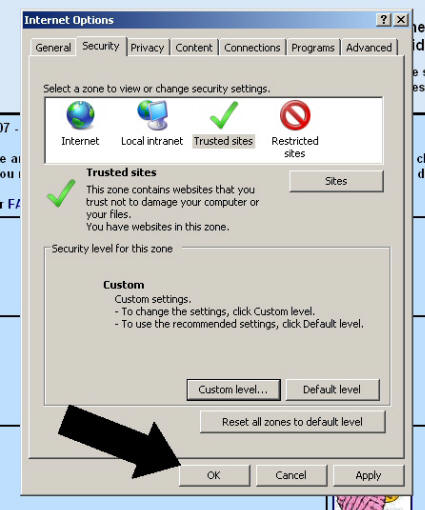
13. If this doesn't work you may have to close your browser and open it again but you will lose what is in your basket.
We hope these steps help with any problems you have with the shopping basket, but if you have any further questions please email us at
Maximum UK Postage and Packing is £3.80 per order. UK orders over £40 are P+P Free. We are unable to accept orders for delivery outside the UK at the moment..
Maximum UK Postage and Packing is £3.80 per order. UK orders over £40 are P+P Free..